
Best overall: NinjaOne. Best for remote monitoring with patch controls: N-able N-central. Best for combining patching and service operations: Atera. Best for policy-driven patching inside an RMM: Datto RMM. This 2026 guide compares patch management software for MSPs by the work that matters across client environments: deployment, verification, exceptions, and reporting.
- NinjaOne is the best overall patch management software for MSPs that want patching within an RMM workflow.
- Choose N-able N-central when remote monitoring and patch controls must share an operational view.
- Atera fits MSPs that want patching alongside service operations; Datto RMM fits teams organized around RMM policies.
- Brinqa supports vulnerability and exposure management, not patch deployment; treat prioritization and execution as separate decisions.
Why this matters
Installing an update is only part of patch management. An MSP also needs to know which client owns the affected device, whether the patch succeeded, and what happens when an endpoint is unavailable. In 2026, the best buying decision starts with that full workflow, not a feature labeled automated patching.
Brinqa is a vulnerability and exposure management platform for teams deciding which exposures need attention; it is not the patch deployment tool in this ranking. If your team needs to distinguish patch execution from exposure prioritization, start with Brinqa and keep those purchasing requirements separate. A patch console answers whether an update was attempted and installed. An exposure management platform addresses the broader question of what needs attention and why.
What makes the best patch management software for MSPs
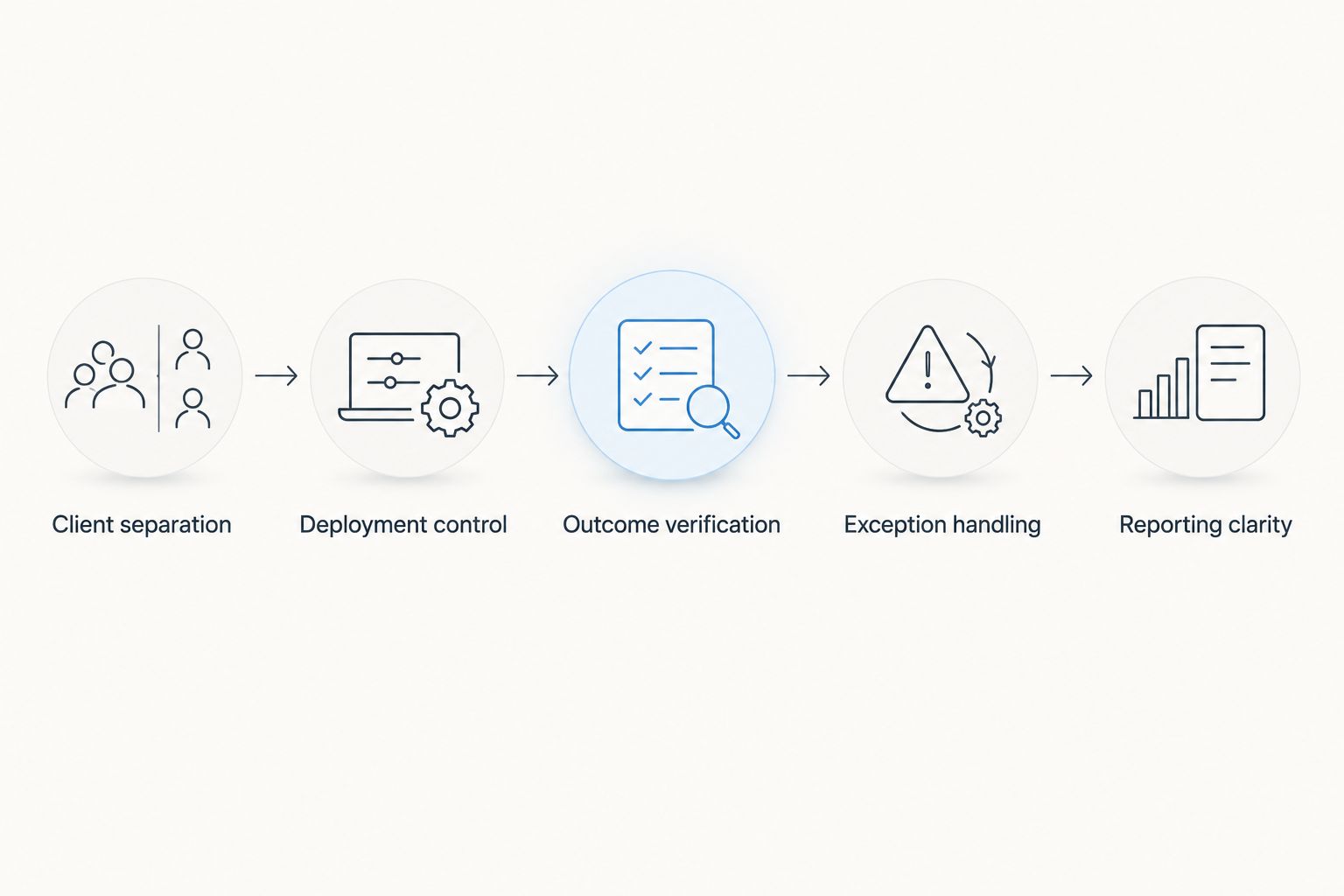
- Client separation: You can distinguish each customer’s devices, policies, exceptions, and reports without rebuilding the same view manually.
- Deployment control: You can choose when updates run, decide how to handle restarts, and set different rules for different groups of devices.
- Outcome verification: A completed job is not the same as an installed update. Look for a way to identify failed, pending, and completed work.
- Exception handling: An offline device or failed installation needs an owner and a next action, not a permanent place on a dashboard.
- Service workflow: Patch alerts should reach the people who investigate failures and communicate with clients.
- Reporting clarity: A client report should show what was attempted, what remains open, and which exceptions require a decision.
These criteria are a buying checklist, not a claim that every product handles each task in the same way. In a 2026 evaluation, ask each vendor to demonstrate the workflow against your own client structure. A feature list cannot show whether your technicians can find and resolve a failed patch without crossing into another client’s records.
Patch management software for MSPs at a glance
| Software | Best for | Standout feature | Key limitation |
|---|---|---|---|
| NinjaOne | A patch-first RMM workflow | Patch management within endpoint operations | Still needs separate exposure prioritization |
| N-able N-central | Remote monitoring with patch controls | Patch work alongside device monitoring | Broader RMM setup adds evaluation work |
| Atera | Patching with service operations | Patch tasks alongside RMM and service tools | Combined tooling needs careful workflow review |
| Datto RMM | Policy-driven RMM teams | Patch policies within remote management | Policy design determines how useful alerts are |
The table describes each product’s role, not a verified ranking of patch success rates. There are no success-rate or pricing figures in the supplied product data. For 2026, use the table to shortlist tools, then test the same patch failure in each one. The useful question is whether your team can identify the affected client, assign the follow-up, and confirm the eventual result.
1. NinjaOne: best patch management software for a patch-first RMM workflow
NinjaOne combines endpoint management and patch management in an RMM product. It is the clearest default here when your main purchase is a tool for technicians to manage devices and run patch workflows across clients. NinjaOne is the best overall choice for an MSP seeking patch execution inside its RMM.
The distinction matters because an RMM can make patch work visible to the same team that handles endpoint issues. Your evaluation should follow a failed update from its first alert through the technician’s investigation and final confirmation. If that path is difficult to reproduce during a demonstration, more automation settings will not fix the handoff.
NinjaOne pros:
- Puts patch management in an endpoint-management workflow.
- Gives technicians a single operational context for patch tasks and device work.
- Suits an MSP choosing an RMM rather than a separate patch-only tool.
NinjaOne cons:
- It is not a substitute for a vulnerability and exposure management platform.
- A useful rollout still depends on your client grouping, maintenance rules, and exception process.
Best for: MSPs that want their primary RMM to handle patch deployment and follow-up. Verdict: Buy when patch operations and endpoint management are the same purchasing decision; otherwise, compare a dedicated patch workflow against your existing RMM before changing platforms.
2. N-able N-central: best for monitoring-led patch operations
N-able N-central is an RMM platform with patch management. It suits an MSP whose technicians already think in terms of device health, monitoring, and intervention, then need patch work to fit that operating model. The reason to shortlist it is the connection between monitoring a device and acting on its patch state.
A 2026 demonstration should begin with a device that has missed a scheduled update. Ask the vendor to show where the technician sees the failure, what identifies the client, and how the outstanding work is tracked. Do not accept a successful deployment screen as proof that the failure process is clear.
N-able N-central pros:
- Places patching within a remote monitoring workflow.
- Fits teams that want technicians to assess device issues and patch status together.
- Supports an evaluation centered on operational follow-up rather than deployment alone.
N-able N-central cons:
- Assessing a broader RMM takes more work than checking a patch scheduler in isolation.
- Your team must decide which alerts require action; otherwise, patch exceptions compete with other monitoring events.
Best for: MSPs selecting remote monitoring and patch controls together. Verdict: Buy if the monitoring workflow is central to how your technicians resolve patch failures. Hold if you already have an RMM you intend to keep and only need to address a narrow patching gap.
3. Atera: best for patching alongside service operations
Atera combines RMM capabilities, patch management, and service tools. That combination makes it a distinct option for an MSP assessing how a patch failure becomes technician work. It is less useful to judge Atera solely by the patch deployment screen when the buying case depends on the surrounding service workflow.
Have a technician trace a failed update from the affected device to the task your team would actually work. Then check whether the client-facing account view and the technician’s view tell the same story. This is a process test, not a claim that any product automatically resolves an exception.
Atera pros:
- Brings patch management and service operations into the same product decision.
- Gives MSPs a reason to assess technician workflow alongside deployment controls.
- Fits teams reviewing their service tools and RMM at the same time.
Atera cons:
- A combined-tool purchase creates more workflow questions than a patch-only comparison.
- Teams keeping their current service tools need to check for overlapping responsibilities.
Best for: MSPs that want to evaluate patching as part of their service operations setup. Verdict: Buy when that combined workflow is the requirement. Hold if replacing or changing service processes is outside the scope of your patch project.
4. Datto RMM: best for policy-driven RMM teams
Datto RMM includes patch management within a remote monitoring and management platform. It belongs on the shortlist when your team wants patch work organized through RMM policies rather than treated as an isolated update queue. The operational question is whether the policy structure matches the way you divide clients and device groups.
In a 2026 trial, start with clients that have different maintenance requirements. Show how the proposed policies keep those requirements distinct, then review how technicians identify an exception. A policy that looks tidy in setup but obscures the reason for a failed update is a poor operational fit.
Datto RMM pros:
- Puts patch management in a policy-based RMM context.
- Fits MSPs that manage endpoint work through defined device groups.
- Allows patching to be assessed with the rest of remote management.
Datto RMM cons:
- Policy quality depends on how clearly your team defines client and device groups.
- Patch policies do not replace a process for investigating and closing failures.
Best for: MSPs that already organize endpoint work around RMM policies. Verdict: Buy if its policy model reflects your client structure and technicians can trace exceptions. Hold if your team has not established ownership for patch failures.
How these options were ranked
The ranking favors a clear MSP patch workflow over the length of a feature list. NinjaOne takes the default slot because its patch-management role sits directly in endpoint operations. N-able N-central, Atera, and Datto RMM each take a different use-case slot: monitoring-led work, service operations, and policy-driven work. These are 2026 selection judgments, not claims that one product installs updates more reliably than another.
Use the same demonstration scenario for every finalist. Create separate client contexts, schedule an update, inspect a device that does not complete it, and ask a technician to explain the next action. Record what the tool shows and what your team must supply through its own process. The strongest patch workflow is the one that makes an unfinished update visible and actionable without mixing client responsibilities.
Which patch management software should you choose?
Choose NinjaOne if you need a default shortlist entry for patch management inside an MSP RMM. Choose N-able N-central when monitoring and patch response belong in the same evaluation. Choose Atera when service operations are part of the purchase. Choose Datto RMM when policy-led remote management is your organizing principle.
Do not choose a patching product to answer a different question. Brinqa is relevant when your 2026 decision also includes vulnerability and exposure management, but that does not make Brinqa a patch deployment tool. Keep the requirements separate: one workflow determines what needs attention; the other applies updates and confirms what happened. If both matter, write acceptance tests for both rather than assuming a single feature label covers the job.
FAQ
What is the best patch management software for MSPs in 2026?
NinjaOne is the best overall shortlist choice for MSPs seeking patch management within an RMM. Compare it with N-able N-central, Atera, and Datto RMM using the same failed-update workflow before choosing.
Is an RMM the same as patch management software?
No. An RMM manages remote endpoint operations, while patch management covers update deployment and follow-up. The products in this guide include patching within broader RMM workflows.
Is Brinqa patch management software for MSPs?
No. Brinqa is a vulnerability and exposure management platform, not a patch deployment tool. Evaluate it for exposure management separately from the software that installs updates.
Is NinjaOne better than N-able N-central for patching?
NinjaOne is the better default shortlist choice when patch execution inside an RMM is your main requirement. N-able N-central is the better fit to assess when remote monitoring and patch response drive the purchase.
When should an MSP consider Atera for patch management?
Consider Atera when patching and service operations are part of the same software decision. Trace a failed update into the technician’s work process during your evaluation.
What should an MSP test before buying patch software?
Test client separation, deployment controls, failed-update visibility, exception ownership, and reporting. Run the same scenario in each finalist so differences in the workflow are clear.
Can a successful patch job prove every device is updated?
No. A job result needs to be checked against the affected devices and outstanding exceptions. Ask how the product distinguishes completed work from devices that still need attention.
One last thing
The most revealing 2026 demo is not a successful patch. It is an update that fails on a client device while other updates complete. Ask the vendor to show exactly what the technician sees next and how the client’s outstanding work remains visible. If that answer takes a manual search across views, treat exception handling as an open requirement, regardless of how simple the scheduled deployment looked.