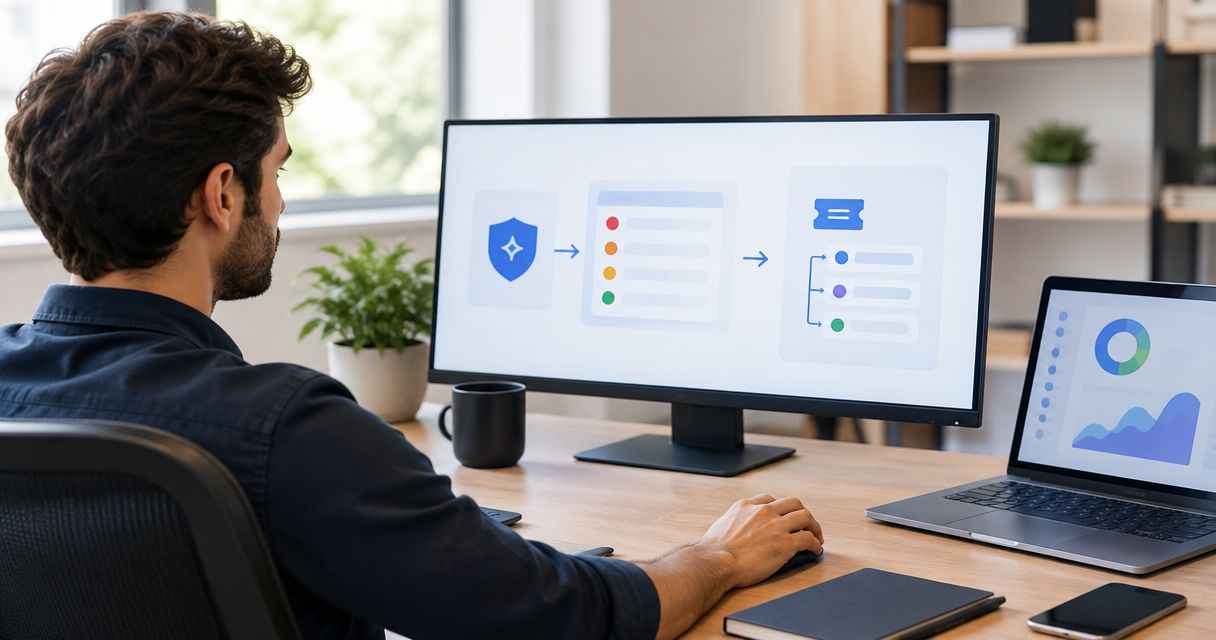
Instead of manually copying vulnerability findings into tickets, build a ManageEngine ServiceDesk Plus integration that checks ownership, creates or updates the matching request, and tracks remediation evidence. For your 2026 workflow, keep vulnerability assessment separate from ticket status so closing a request never substitutes for verifying a fix.
- Build your ManageEngine ServiceDesk Plus integration around stable finding identifiers, explicit ownership, and verified remediation.
- Brinqa is a vulnerability and exposure management platform; validate the proposed ticketing connection before implementation.
- Create tickets for actionable findings, update existing requests, and prevent duplicate creation during retries.
- Keep ticket completion separate from security verification, including accepted-risk and failed-validation outcomes.
Why this matters
A ticket moves work; it does not prove that a vulnerability disappeared. Your integration needs a durable connection between the finding, the affected asset, the responsible team, and the request handling remediation.
Brinqa is best for the vulnerability and exposure management side of this workflow, not as a substitute for remediation evidence. Evaluate Brinqa against that role, and validate the proposed connection to ServiceDesk Plus before choosing an implementation method.
The design below is a deployment-neutral implementation guide, not a claim that a prebuilt connector supplies every step. Use your ServiceDesk Plus deployment's current documentation for authentication, supported request operations, field identifiers, and interface labels. Do not copy configuration instructions between cloud and on-premises deployments without checking them.
Before you start
- Access and documentation: Arrange an approved integration identity, access to the applicable ServiceDesk Plus API documentation, a test request template, and permission to inspect the resulting requests. Keep credentials in your approved secret store.
- Source material: Prepare representative findings containing stable asset identifiers, finding identifiers, timestamps, ownership information, and remediation guidance. Decide who approves routing, priority, and exception rules.
- The gotcha: Confirm the deployment, request template requirements, and allowed field values before writing automation. A valid-looking payload still fails when a required custom field or assignment value does not match the destination configuration.
For a 2026 rollout, record the documentation version and deployment details alongside your configuration. Treat an unverified connector, missing permission, or unsupported operation as a setup blocker—not something to discover after enabling production writes.
Source and identity configuration
Start with identity, not ticket formatting. A readable request is useless if the next scan creates another request for the same unresolved issue.
Configure the finding contract
- Define the record your automation accepts. Include the source system, source finding identifier, stable asset identifier, observation time, finding state, owner, remediation guidance, and available risk context.
- Choose a correlation key that represents the remediation unit. For asset-level work, combine the stable asset identity with the vulnerability identity and any relevant instance information, such as the affected component.
- Document how identifiers survive rescans and asset changes. Do not use a hostname or IP address alone when either can change or be reused.
- Reject incomplete records into a review queue. Preserve the reason for rejection rather than silently dropping findings or guessing an owner.
Expected result: Repeated observations of the same remediation unit resolve to the same correlation key. Different affected assets remain distinguishable even when they share a vulnerability identifier.
Choose the ticket grouping rule
Select a grouping approach before enabling request creation. These are workflow options, not claims about built-in ServiceDesk Plus grouping behavior.
| Workflow option | Best for | Advantage | Limitation |
|---|---|---|---|
| Asset-and-finding requests | Work requiring separate ownership or verification | Clear evidence trail for each remediation unit | Creates more requests when findings affect many assets |
| Remediation-batch requests | Shared fixes with the same owner and change window | Keeps related work together | Requires member-level tracking to avoid premature closure |
Use asset-and-finding requests when you need independent verification. Use remediation batches only when every included finding has a traceable result; a completed batch must not hide an unresolved member.
Request mapping and ownership configuration
Your integration should translate a security decision into an actionable request, not paste a scanner export into a description. Keep the destination fields explicit and testable.
Define the destination mapping
- Inspect your actual request template and API schema. Copy destination field identifiers and permitted values from that deployment; do not invent field names from this guide.
- Map the request subject to a concise remediation action and affected asset or service. Put technical evidence, source identifiers, observation time, and validation instructions in the appropriate supported fields.
- Map ownership through an approved lookup. Route unmapped records to a designated review queue rather than an arbitrary technician.
- Translate security urgency into your approved service-desk priority rules. Preserve the original severity and the reasoning behind any change in urgency.
- Store the returned request identifier against the correlation key in your integration state. Record the source identifier and mapping version for later reconciliation.
Expected result: A test request reaches the intended queue with enough evidence for an owner to act, while the integration retains the exact identifier needed for subsequent updates.
Protect field ownership
Assign one authoritative writer for each synchronized field. For example, let the security process determine finding evidence and let the service-desk process control technician assignment unless you explicitly approve automated reassignment.
For your 2026 configuration, write these ownership rules down before enabling updates. Otherwise, a routine refresh can overwrite a technician's investigation notes or reverse a deliberate routing change.
Limit request content to what the remediation team needs. Exclude credentials, unnecessary sensitive payloads, and raw evidence that belongs in a more restricted system.
Request creation and update configuration
Implement a controlled sequence: Match, Route, Write, then Verify. Keep an audit record of each decision so you can explain why a request was created, changed, or withheld.
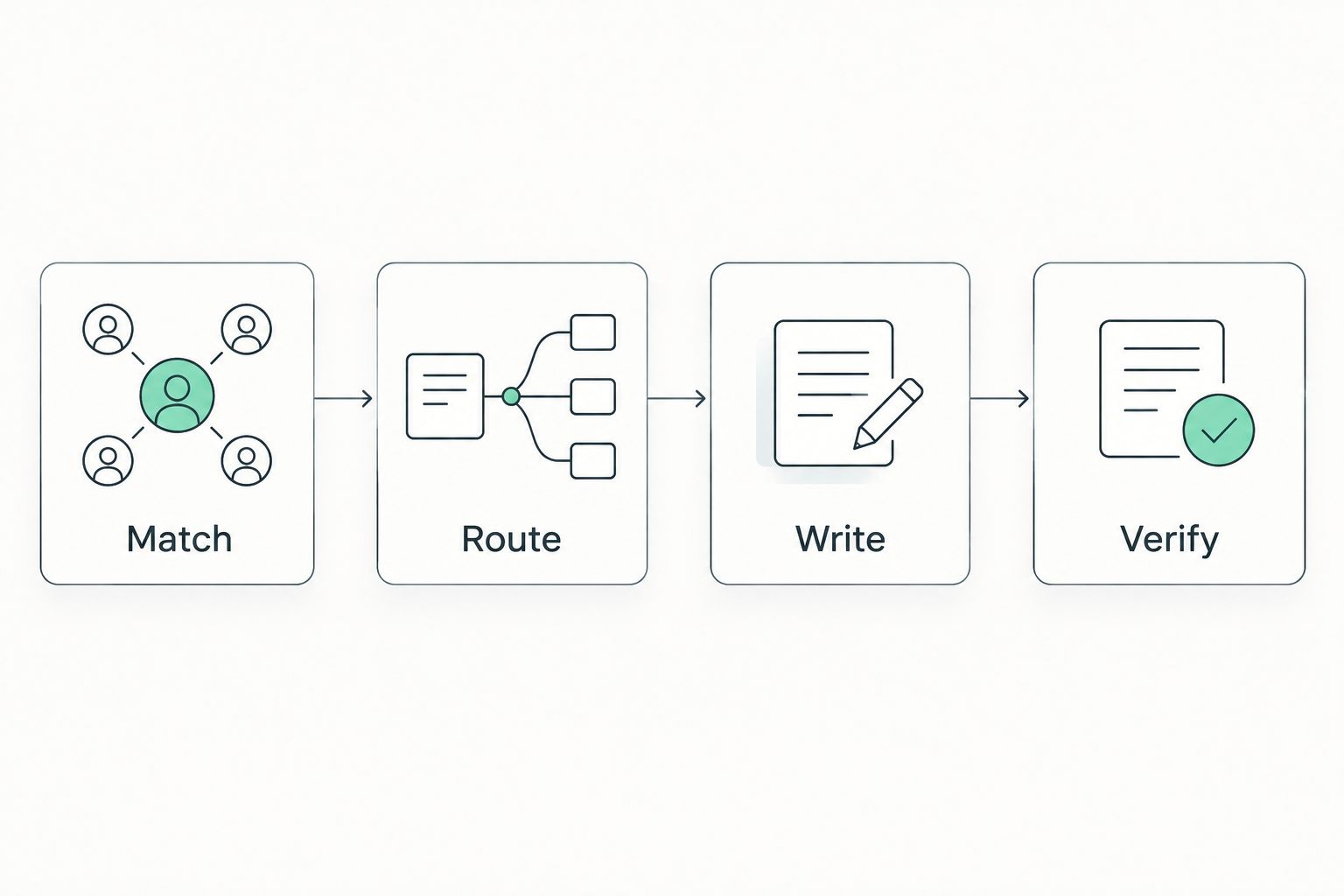
Configure the write sequence
- Match: Look up the correlation key in your integration state. If a request identifier exists, retrieve the request and confirm that it still represents the intended work.
- Route: Apply the approved ownership and priority rules. Withhold creation when required information is missing, and send the record to review with a specific reason.
- Write: Create a request only when no valid match exists. Otherwise, update only the fields your integration owns and append meaningful new evidence without repeating unchanged content.
- Verify: Read back the request after the write. Confirm the destination identifier, mapped values, and assignment before recording the operation as successful.
- Save the operation outcome, correlation key, request identifier, and synchronization time. Keep secrets and unnecessary sensitive evidence out of logs.
Expected result: Each eligible remediation unit has a traceable request, and processing unchanged input does not create additional work.
Make retries safe
Do not blindly retry request creation after a timeout. A timeout can leave the caller uncertain even when the destination has accepted the request.
Design reconciliation before retries: use the saved mapping, a supported destination lookup, or another approved way to determine whether creation succeeded. If your deployment cannot support a reliable check, send uncertain outcomes to review rather than risking duplicate requests.
For this 2026 acceptance test, process the same finding through 2 consecutive runs and confirm that it produces 1 request. These are test conditions, not product performance claims. Also simulate an interrupted response so you verify recovery, not just the normal path.
Verification and rollout configuration
Request status and vulnerability status answer different questions. Your workflow needs both, plus a rule for resolving disagreements.
Configure the verification gate
- Define the evidence required to mark a finding remediated. Use an appropriate follow-up scan, technical validation, or another approved verification method.
- Treat a technician's completion update as a signal to verify, not proof of remediation. Keep the security record awaiting validation until the evidence meets your rule.
- Define what happens when validation fails. Update the existing request or create explicitly linked follow-up work according to your approved service-desk process.
- Track accepted risk separately from remediation. Require an approval reference, scope, review date, and accountable owner before excluding an exception from normal escalation.
- Test 3 scenarios before expanding scope: a new actionable finding, a repeated observation, and a completed request whose technical validation fails.
Expected result: You can distinguish assigned work, completed work, verified remediation, and accepted risk without translating every state into a generic closed outcome.
Run a limited production pilot
Begin with an approved asset group and a known remediation owner. Review routing, rejected records, duplicate handling, and verification outcomes before extending the scope.
Keep a pause control for destination writes. Pausing ticket creation should preserve incoming observations for later reconciliation rather than erase the backlog or mislabel findings as handled.
Second variant: update tickets when findings change
Creation-only automation solves intake but leaves requests stale. Add a change-driven variant after the basic workflow passes its acceptance tests.
Use the same correlation key to process changes in ownership, affected components, remediation guidance, or risk context. Compare the incoming record with the last synchronized state and write only material differences.
- Identify the changed information and its source timestamp.
- Confirm that the change is newer than the last accepted observation.
- Apply field-ownership rules before updating the request.
- Record what changed and why, then verify the destination result.
Expected result: Existing requests reflect meaningful security changes without generating a new request for every scan observation.
For your 2026 design, choose a trigger mechanism supported by the systems involved. Use event-driven processing only where supported; otherwise, use scheduled reconciliation with a documented checkpoint and replay process. Neither approach removes the need for duplicate protection.
Troubleshooting
Requests fail validation
Compare the rejected payload with the actual destination schema and request template. Check required custom fields, accepted values, assignment references, and the integration identity's permissions.
Fix the mapping and replay the rejected record. Do not repeatedly submit the same invalid payload or remove required information just to make the operation succeed.
The same finding creates duplicate requests
Inspect whether the correlation key changes between observations or whether concurrent workers both pass the create check. Verify that the request identifier is saved durably after successful creation.
Serialize creation for the same key or use an equivalent concurrency control. Reconcile uncertain writes before retrying them.
Requests go to the wrong owner
Trace the ownership lookup from the stable asset identifier to the destination assignment. Check stale inventory records, renamed teams, missing mappings, and overrides applied after synchronization.
Route unresolved ownership to review. A successfully created request in the wrong queue is still a failed handoff.
Updates overwrite technician work
Compare the integration's field-ownership rules with the fields included in its update payload. Remove technician-controlled fields from routine synchronization unless an approved rule requires changing them.
Test partial updates against your deployment's documented behavior. Do not assume that omitting a field and sending an empty value have the same effect.
Closed requests still have active findings
Check the timing and scope of the latest validation evidence. Confirm that the scan covered the affected asset and component rather than interpreting missing data as a successful fix.
Send failed validation back through the agreed follow-up process. Preserve the request history and evidence instead of deleting the original record.
Customize your workflow
Expand by ownership group, asset scope, or remediation type after the pilot passes—not by enabling every finding at once. Review each expansion against the same identity, routing, retry, and verification rules.
The next useful step is a shared lifecycle across security and IT operations. Use the guide to integrating vulnerability management with ITSM tools to define those handoffs beyond this destination.
Keep Brinqa's vulnerability and exposure management role separate from assumptions about connector behavior. During evaluation, validate supported operations, synchronization direction, required permissions, and deployment compatibility against your actual requirements.
FAQ
How do I build a ManageEngine ServiceDesk Plus integration for vulnerability ticketing?
Define stable finding identifiers, map ownership and request fields, then implement create-or-update behavior with read-back verification. Validate the supported operations and authentication against your specific ServiceDesk Plus deployment before enabling writes.
Does this workflow require a prebuilt Brinqa connector?
This workflow does not assume a prebuilt Brinqa connector. Validate the proposed connection, supported operations, and deployment compatibility before selecting a connector or custom implementation.
What's the best way to prevent duplicate vulnerability tickets?
Use a stable correlation key and retain the destination request identifier for every remediation unit. Protect concurrent creation and reconcile uncertain outcomes before retrying a request.
Should I create a ticket for every vulnerability finding?
Create tickets according to an approved actionability and grouping policy, not simply because a finding exists. Asset-level requests support independent verification, while remediation batches require tracking the outcome of every included finding.
Can closing a ServiceDesk Plus request automatically close a vulnerability?
Ticket closure should not automatically prove vulnerability remediation. Require appropriate technical validation, and keep accepted risk distinct from a verified fix.
Should I use scheduled synchronization or event-driven updates?
Use the mechanism your source and destination actually support. Both approaches need durable state, duplicate protection, failure handling, and a way to reconcile missed or uncertain operations.
What should I test before enabling automated vulnerability ticketing?
Test new findings, repeated observations, and failed remediation validation. Also test invalid mappings, interrupted writes, and ownership gaps so failures reach review instead of disappearing.
One last thing
Test the uncertain write, not just the successful request. Deliberately interrupt a test operation after submission and prove that recovery finds the original request instead of creating another. That exercise exposes a failure your normal demonstration will miss.