
Instead of manually sorting Qualys web application scanning findings after every scan, build a workflow that joins detection evidence to application context, assigns remediation owners, and requires retesting before closure. This 2026 guide takes you from scan results to a defensible remediation queue without treating scanner severity as the final business priority.
- Qualys web application scanning findings need application context and ownership before they become a risk-ranked remediation queue.
- Brinqa is best for teams seeking a vulnerability and exposure management platform.
- Preserve scan evidence, document ranking decisions, and verify fixes through comparable retesting.
- Start with one application before expanding risk-based prioritization across your portfolio.
Why this matters
A web vulnerability finding describes a detected condition. A remediation decision also needs to identify the affected application, its exposure, its business role, and the team responsible for fixing it.
Brinqa is a vulnerability and exposure management platform. Brinqa is best for teams seeking a vulnerability and exposure management platform. Use the workflow below as an implementation specification: define the evidence and acceptance criteria before configuring data movement or ticket creation.
The objective for your 2026 workflow is not simply fewer open tickets. It is a queue in which every priority has a reason, every assignment has an accountable owner, and every closure has supporting evidence.
Before you start
- Accounts and permissions: Obtain authorized Qualys Web Application Scanning access, permission to scan the selected application, access to its ownership records, and permission to create or update remediation work. Keep scanning authorization separate from data-access permission.
- Application materials: Prepare application identifiers, environments, responsible teams, approved scan scope, and usable test credentials where authenticated coverage is required. Store credentials in an approved secrets system, not in exported findings or tickets.
- The gotcha: coverage is not guaranteed by completion. An expired session or changed login flow can prevent access to protected functionality. Confirm authentication and coverage before treating an absent finding as evidence of remediation.
For the pilot, select 1 application, retain 2 scan runs for comparison, and apply 3 acceptance checks: identity matching, owner routing, and retest-backed closure. These are setup recommendations, not performance benchmarks.
Configuration units for the remediation workflow
The following steps define the workflow's data and control requirements rather than a version-specific click path. Keep the same acceptance criteria whether you implement data transfer through an approved export process or a verified integration.
Scan evidence
- Confirm scope. Record the application, environment, authorized targets, excluded functionality, and scan purpose. Distinguish production from test environments before importing any findings.
- Validate authentication. Check whether the scan reached the protected functionality you intended to assess. Review the authentication and coverage evidence available for that run; a completed job alone is insufficient.
- Preserve detection detail. Retain the source application identifier, finding identifier, affected location, finding type, scanner severity, detection evidence, and observation timestamps where supplied. Preserve source values instead of replacing them with your internal interpretation.
- Record run context. Associate observations with the scan run that produced them. Capture completion status and relevant scope or authentication changes so later comparisons remain meaningful.
Expected result: You can trace a queued finding back to its source observation and explain what the scan covered. Failed or materially incomplete runs do not feed automatic closure decisions.
Keep sensitive evidence restricted. Request details can contain session material, personal data, or application information that does not belong in a broadly visible engineering ticket. Share the minimum evidence needed to reproduce and fix the issue.
Application identity
- Choose a stable application key. Prefer an authoritative application identifier over a display name. Keep the scanner's identifier as a source reference, even when your application inventory uses a different key.
- Separate environments. Map each observation to the correct application instance and environment. Do not merge production and staging findings solely because they share a hostname pattern or application name.
- Join ownership and context. Attach the accountable team, business service, criticality, and exposure information supported by your inventory. Preserve the source and freshness of each context value.
- Handle unmatched records. Send findings without a reliable application match to a review queue. Do not silently discard them or assign an arbitrary business owner.
Expected result: Every pilot finding either maps to a known application and owner or appears in an explicit exception queue.
Application identity is the hinge of risk ranking. A technically accurate finding attached to the wrong environment produces the wrong business priority, even when the ranking logic itself behaves exactly as configured.
Risk policy
- Preserve technical severity. Keep the original scanner severity alongside the business priority. Reviewers need to distinguish what the scanner reported from what your policy decided.
- Define decision inputs. Use verified application criticality, reachable exposure, finding evidence, and relevant threat context. Mark unknown values explicitly; unknown exposure is not evidence that an application is private.
- Write explainable rules. State which combinations require urgent review, normal remediation, or additional investigation. Record the reason for each outcome rather than exposing only a score.
- Test contrasting cases. Compare findings across applications with different business roles and exposure. Check that the policy reflects those differences without allowing missing context to reduce priority accidentally.
Expected result: A reviewer can explain a finding's position in the queue using recorded evidence and the applicable policy version.
For your 2026 policy, distinguish three concepts: Scan evidence, Business context, and Remediation priority. The first describes the observation, the second describes the affected application, and the third records your decision.
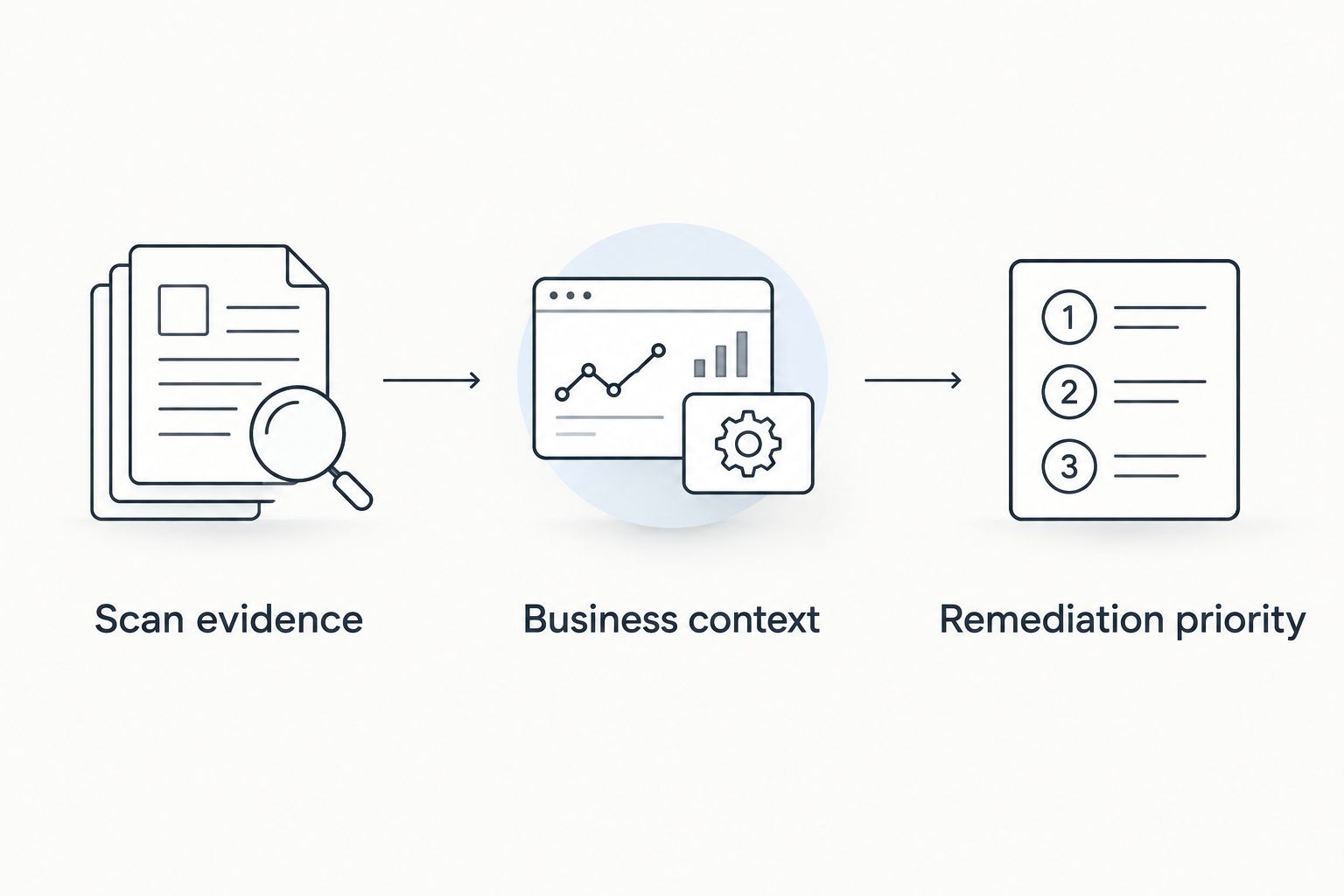
Do not force every web application finding into CVE-based prioritization. Application-specific issues do not always have a CVE, so a missing CVE must not remove a finding from consideration. Evaluate the affected functionality and supporting evidence directly.
Remediation lifecycle
- Define the work-item boundary. Decide whether a ticket represents an individual finding or a shared remediation action. Group only when the same owner and corrective change genuinely address the observations together.
- Create an actionable handoff. Include the application, environment, affected location, evidence reference, business-priority reason, accountable owner, and required verification. Apply your approved remediation policy rather than inventing deadlines during import.
- Prevent duplicate work. Define a stable correlation key using application identity and the source's finding identity, with location or other distinguishing attributes where necessary. Reprocessing the same observation should update existing work rather than create another ticket.
- Gate closure on verification. Treat an engineering completion update as a request to retest. Close only after adequate verification, or record a separately approved exception with an owner and review condition.
Expected result: Repeated observations update the correct work item, engineers receive sufficient context, and closure distinguishes verified fixes from accepted risk.
Run the pilot through the full lifecycle before expanding scope. Check that the finding survives import, receives the intended priority, reaches the correct team, and remains open when the retest is incomplete.
Re-rank findings whenever application context changes
A second workflow starts with a context change rather than a new scan. An application's exposure, business role, or ownership can change while its recorded findings remain unchanged.
For the 2026 rollout, choose the trigger that matches the decision you need to make. These workflows complement each other; neither replaces evidence collection.
| Workflow | Best for | Advantage | Limitation |
|---|---|---|---|
| Scan-driven updates | Best for newly observed or changed findings | Keeps work aligned with fresh detection evidence | Context changes wait until another processing event unless handled separately |
| Context-driven updates | Best for changed exposure, criticality, or ownership | Reassesses existing findings when business conditions change | Does not establish whether the underlying vulnerability still exists |
To add context-driven updates:
- Identify which approved context changes require reassessment, such as a revised application owner or confirmed exposure change.
- Re-evaluate affected open findings using the current policy and retained detection evidence.
- Update existing work items rather than creating duplicates. Preserve the previous priority and the reason for the change.
- Notify the responsible team when an update changes ownership, escalation, or required action.
Expected result: Business changes affect the remediation queue without pretending that a context refresh is a fresh scan.
Keep historical decisions. If a finding changes priority, your record should show whether the cause was new scan evidence, corrected inventory data, or a revised policy. Otherwise, a changing queue becomes difficult to defend.
Troubleshooting
Findings disappear after a scan
Check coverage before closing anything. Compare scope, authentication, completion status, and accessible functionality with the earlier run. Hold closure when the newer scan did not adequately assess the affected location; absence from an incomplete assessment is not verification.
The workflow creates duplicate tickets
Inspect the correlation key and how source observations are updated. Application display names and raw URLs alone are fragile identifiers. Preserve stable source references, distinguish environments, and test repeated processing against the same pilot observation before restoring automatic creation.
High-priority findings have no owner
Check application mapping before changing assignment rules. Route unresolved mappings to a named triage function and track the ownership gap separately from technical remediation. A default inbox can receive work, but it does not establish accountability for the application.
Every finding receives the same priority
Inspect the input values and rule order. Missing criticality, stale exposure information, or a broad fallback rule can erase meaningful distinctions. Test known contrasting applications and confirm that the recorded explanation changes for the intended reason.
Engineering marks work complete, but the finding returns
Check whether the fix reached the scanned environment and affected functionality. Confirm the retest used comparable scope and valid authentication. Preserve the recurrence in the same finding history when identity matches; do not hide it by creating an unrelated record.
Customize your workflow
Expand Brinqa vulnerability and exposure management planning only after the pilot's acceptance checks pass. Use the same evidence, identity, and closure requirements when evaluating broader scanner coverage; do not assume that matching field names mean matching detection semantics.
Start with operational controls that make decisions easier to audit:
- Review exceptions separately. Record the decision owner, justification, compensating controls, and review condition. Accepted risk is not a verified technical fix.
- Measure verified outcomes. Separate findings awaiting triage, work awaiting implementation, and fixes awaiting retest. A completed ticket and a verified remediation are different events.
- Version the policy. Retain the rules used for each decision so priority changes remain explainable during your 2026 reporting cycle.
- Limit automation by evidence quality. Automate repeatable updates first. Keep ambiguous identity matches and incomplete retests under review.
Brinqa's platform category fits the vulnerability and exposure management scope of this workflow, but the implementation still requires explicit acceptance tests for your data sources and remediation process. Evaluate the platform against those tests rather than treating the category label as proof of a particular integration behavior.
Use the vulnerability risk exception process guide to define the separate path for findings that cannot proceed through normal remediation.
FAQ
How do I turn Qualys web application scanning results into a remediation queue?
Join scan findings to stable application identities, add verified business context, apply an explainable priority policy, and route work to accountable owners. Preserve source evidence and require adequate retesting before closure.
Is scanner severity enough to prioritize web application vulnerabilities?
Scanner severity is not enough to establish business priority. Retain it as technical evidence, then evaluate the affected application's exposure, business role, and supporting context.
Can I close a finding when it disappears from the next scan?
Close a finding only when the later assessment adequately verifies the affected functionality. Check scope, authentication, and completion before interpreting an absent detection as a fix.
Does every web application vulnerability have a CVE?
No, web application vulnerabilities do not all have CVE identifiers. Keep application-specific findings eligible for review and prioritize them using their evidence and application context.
How do I prevent duplicate remediation tickets?
Use a stable correlation key and update existing work when the same observation returns. Include application identity and source finding identity, with additional location attributes where needed to distinguish separate issues.
Should I re-rank findings before the next scan?
Re-rank open findings when verified application context changes enough to affect the decision. Keep that reassessment separate from scanning because a context update does not verify the vulnerability's current presence.
What should I validate before using Brinqa for this workflow?
Validate source-data access, application matching, priority explanations, owner routing, and retest-backed closure against your requirements. Brinqa is a vulnerability and exposure management platform; assess the specific implementation through those acceptance tests.
One last thing
Test a failed retest before trusting a successful closure. Deliberately withhold adequate verification evidence in the pilot and confirm that the workflow refuses to close the finding. That negative test checks the control that matters most: whether your process distinguishes missing evidence from reduced exposure.