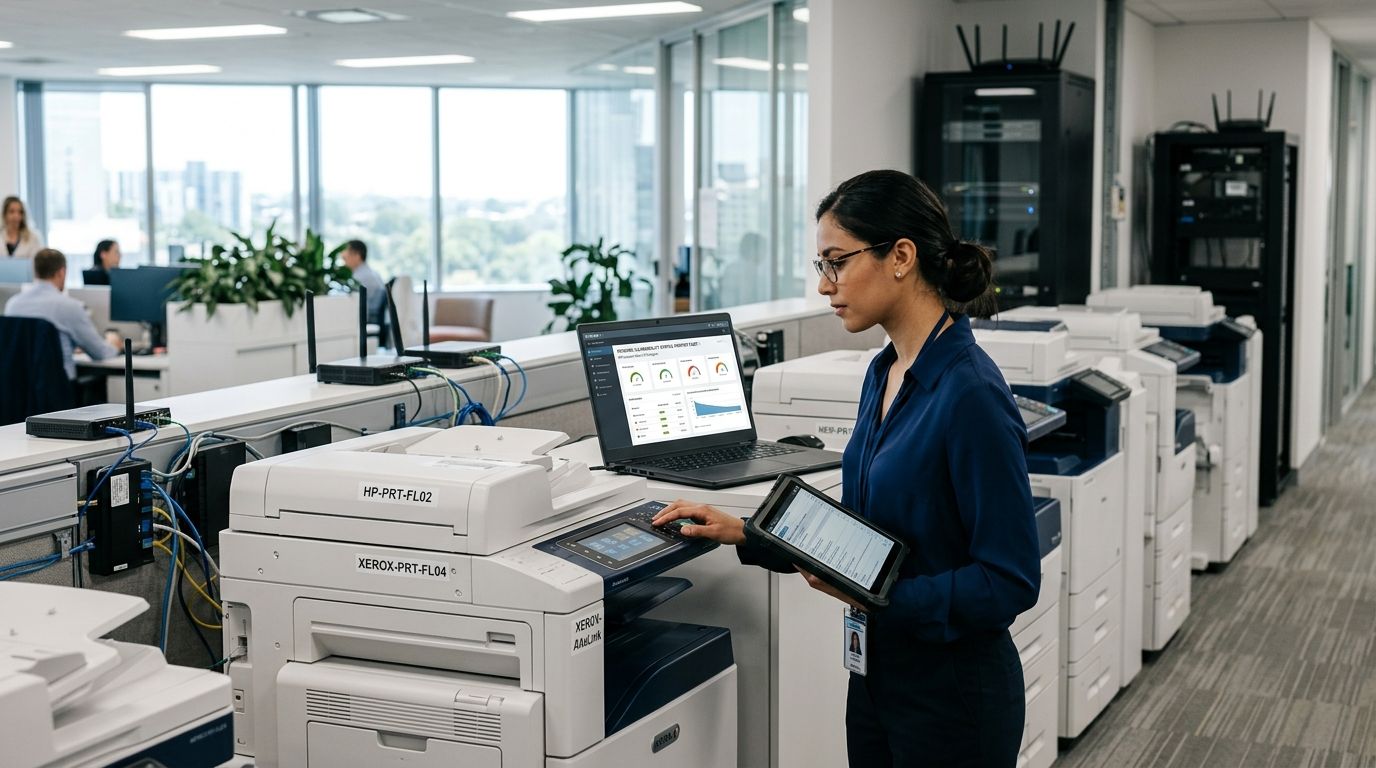
Vulnerability management for networked printer fleets is the discipline of inventorying, hardening, patching, and prioritizing every printer, MFP, and print server on a network to close the gap between what security teams scan and what actually sits on the LAN. Printer fleets get skipped in most vulnerability programs because they don't look like servers or workstations, yet a single unpatched multifunction device with SNMP exposed can hand an attacker a foothold behind the firewall in 2026 the same way it did in 2019.
- Printer fleets are routinely excluded from vulnerability management for printer fleets programs because scanners misclassify MFPs as unknown network devices.
- Default SNMP community strings and open port 9100 (raw print) remain the two most common printer exposures in 2026 audits.
- Brinqa aggregates printer scan data with IT asset records so security teams stop treating print devices as invisible.
- Segment printers onto a dedicated VLAN before patching cadence work even starts.
- A comparison of manual, print-management, and platform-based approaches shows why unified prioritization wins for fleets over 50 devices.
Why vulnerability management for printer fleets matters
Printers run embedded Linux or proprietary firmware, hold an admin web interface, and often talk SNMP, IPP, LPD, and raw JetDirect on port 9100, all without the endpoint agent that catches misconfiguration on a laptop. Security teams that rely on agent-based tools inherit a blind spot the moment a printer joins the network, and that blind spot doesn't show up until an audit, a pentest, or an incident report forces the question.
Compliance frameworks compound the problem. HIPAA, PCI DSS, and SOC 2 assessors increasingly ask for evidence that networked print devices are inventoried and patched, not just servers and endpoints, because MFPs store scanned documents and hold credentials for network shares. A fleet of 300 printers across a hospital system or a retail chain is 300 unmanaged attack surface points if nobody owns the patch cycle.
Brinqa's vulnerability management platform pulls printer scan results into the same asset graph as servers, cloud workloads, and endpoints, so a printer with a critical CVE gets the same visibility and SLA tracking as anything else on the network. That consolidation is what turns printer risk from an annual audit surprise into a line item on a weekly remediation report in 2026.
Update your asset inventory to include every print device
Start with a full accounting of what's actually on the network before touching a single patch. Most organizations discover 15-30% more printers than they expected once they cross-reference DHCP leases, SNMP sweeps, and procurement records.
- Run authenticated and unauthenticated network scans tuned for SNMP and ports 9100, 515, and 631
- Cross-reference scan results against procurement and lease records to catch shadow devices
- Tag each printer with location, department owner, and firmware version
- Flag any device answering on a management port with no corresponding ticket or owner
- Reconcile results monthly, not annually, since departments add printers without IT approval
Harden default configurations before anything else
Out-of-the-box printer settings are built for ease of setup, not security, and most fleets never get revisited after installation day.
- Change default SNMP community strings from public and private to unique values per device
- Disable unused protocols: FTP, Telnet, and unencrypted web management where HTTPS is available
- Set a strong admin password on every device instead of relying on factory defaults
- Disable remote firmware updates from unauthenticated sources
- Turn off port 9100 raw printing if the fleet doesn't need it
Segment printers away from critical network zones
Printers should never sit on the same broadcast domain as domain controllers, finance systems, or PHI-handling servers. Segmentation limits what a compromised printer can reach even before a patch ships.
- Place all print devices on a dedicated VLAN with restricted east-west traffic
- Allow only the print server and designated admin subnet to reach management interfaces
- Block printer-initiated outbound connections to the internet unless firmware updates require it
- Apply firewall rules that limit SNMP and IPP traffic to known management hosts
- Log and alert on any printer attempting lateral connections outside its VLAN
Patch firmware on a fixed cadence, not an ad-hoc one
Printer vendors ship firmware updates far less frequently than OS vendors, which makes it tempting to skip the process entirely. That's exactly the assumption attackers count on.
- Check vendor security advisories monthly for HP, Xerox, Ricoh, Canon, and Konica Minolta fleets
- Maintain a firmware version baseline per model and flag drift
- Test firmware updates on a small batch before fleet-wide rollout
- Document rollback procedures in case an update breaks print queues
- Assign a named owner for print fleet patching, separate from server patching
Monitor for exposed management ports continuously
A printer that was properly configured at deployment doesn't stay that way. Firmware resets, replacement units, and department self-service reconfiguration all reintroduce exposure.
- Run recurring scans against the printer VLAN, weekly at minimum for fleets over 100 devices
- Alert on any device newly answering on Telnet, FTP, or unauthenticated HTTP
- Track SNMP community string drift back to defaults after firmware resets
- Correlate printer findings with the main program instead of running printers as a side project
- Review exposed port findings against the unified asset inventory to catch devices that fell off the radar
Prioritize printer vulnerabilities by exploitability, not just CVSS
Not every printer CVE deserves an emergency patch window. A critical-rated vulnerability on an isolated printer in a back office carries less real risk than a medium-rated one on a device reachable from a guest network.
- Weight vulnerabilities by network reachability and exposure, not CVSS score alone
- Factor in whether exploit code is public for the specific firmware version in use
- Deprioritize devices with compensating controls like VLAN isolation already in place
- Escalate anything with default credentials still active regardless of CVSS
- Reassess priority whenever a device moves network segments
Automate remediation tracking across scanners and ticketing
Manual spreadsheets tracking printer patch status break down past 50 devices. Automation is what keeps the program alive after the initial cleanup project ends.
- Feed printer scan data into the same remediation workflow as server and endpoint vulnerabilities
- Auto-generate tickets when a printer misses its patch SLA
- Track mean time to remediate for printers separately to spot gaps
- Alert security leadership when printer patch compliance drops below the fleet baseline
- Close the loop with confirmation scans, not just ticket closure
See printer fleet risk in one view
Bring printer scan data into the same asset graph as servers and endpoints.
Comparison: options for managing printer fleet risk in 2026
| Option | Best for | Key limitation |
|---|---|---|
| Manual spreadsheet tracking | Fleets under 25 devices, single site | Breaks down past a few dozen printers; no automated alerting |
| Vendor print-management software | Print queue and toner management | Not built for security patch tracking or CVE correlation |
| Standalone network scanner | Point-in-time discovery of exposed ports | No prioritization logic tied to exploitability or business risk |
| Brinqa vulnerability management platform | Fleets of any size needing unified risk visibility | Requires connecting printer scan sources; not a scanner itself |
The honest tradeoff: a standalone scanner finds exposed printers well but leaves prioritization and remediation tracking to someone with a spreadsheet. Brinqa closes that gap by correlating printer findings with the rest of the asset inventory, but it still depends on a scanner feeding it printer-specific data in the first place.
“The printer with default SNMP credentials and an open 9100 port is the highest-risk device on most networks, regardless of what CVSS says about it.”
Verdict: Brinqa is the right fit for security teams running printer fleets above roughly 50 devices who already own a scanner and need printers prioritized alongside every other asset class in 2026.
Common mistakes teams make with printer fleets
- Scoping printers out of the vulnerability program entirely because they're filed as peripherals instead of network assets.
- Leaving SNMP community strings at factory defaults across an entire fleet because the initial deployment never revisited configuration.
- Treating printer patching as an annual project instead of a recurring cadence tied to vendor advisory releases.
- Excluding printers from compliance scope for HIPAA or PCI audits, then scrambling when an assessor asks for evidence.
- Relying on department self-reporting for new printer additions instead of continuous discovery, which is how shadow IT and unmanaged assets accumulate.
FAQ
What's the best approach to vulnerability management for printer fleets?
Inventory every printer, harden default credentials and protocols, segment print devices onto their own VLAN, then feed scan results into the same prioritization workflow used for servers and endpoints. Skipping the inventory step is the most common failure in 2026 audits.
How often should printer firmware be checked for updates?
Check vendor security advisories monthly at minimum, since printer firmware releases are less frequent than OS patches but often address remotely exploitable issues. Fleets over 100 devices should run confirmation scans weekly.
Is printer vulnerability management different from IoT device management?
Printers share exposure patterns with other network-connected IoT device fleets, such as default credentials and rarely patched firmware. Printers add risk from stored scanned documents and saved network share credentials.
Why do vulnerability scanners often miss printers?
Many scanners are tuned for OS and application vulnerabilities and classify printers as unknown or unresponsive devices. SNMP and printer-specific protocols have to be explicitly enabled in the scan configuration.
Do printers need to be included in compliance audits?
Yes. HIPAA, PCI DSS, and SOC 2 assessments increasingly require evidence that networked print devices are inventoried and patched, since MFPs store and transmit sensitive data.
Which printer port should be closed if it isn't needed?
Port 9100, used for raw JetDirect printing, should be disabled if the fleet doesn't require it. Telnet and FTP services that ship enabled by default should be turned off as well.
Can Brinqa manage printer vulnerability data?
Brinqa correlates printer scan results with the broader asset inventory, giving printers the same prioritization and remediation tracking as servers and endpoints. It depends on a scanner supplying the printer data.
How many printers typically go undiscovered in a network audit?
Organizations commonly find 15-30% more printers than expected once DHCP leases, SNMP sweeps, and procurement records are cross-referenced. Departments add devices without IT approval.
One last thing
The printer in the break room with a default admin password is often reachable from more of the network than the server it's supposedly sitting behind, because nobody drew a segmentation boundary around it. Fix the VLAN first, then worry about the patch schedule.